
The Update Team screen is where you record who's on your patrol. If your unit uses SurfGuard rostering, it also shows today's rostered team pulled live from SurfGuard and pushes completed member hours back into SurfGuard when the patrol closes. If your unit doesn't use it, you log everyone locally instead — the screen works the same way either way, just without the SurfGuard-specific panels.
Open Update Team
From your patrol's activity screen, select Team Member (or Update Team).
With SurfGuard rostering
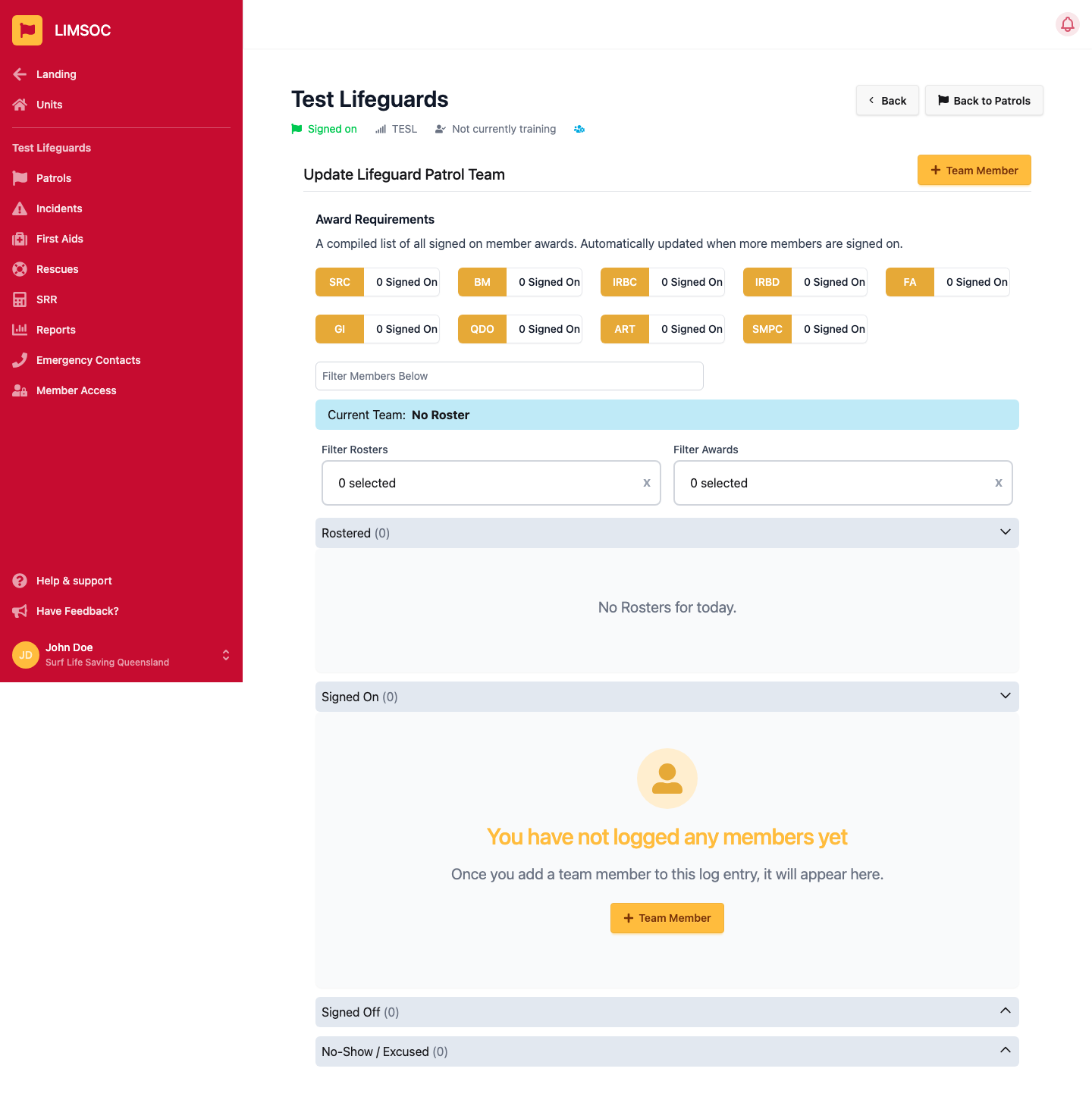
For units with rostering enabled, the screen shows:
Award Requirements — a live tally of required qualifications (e.g. SRC, BM, IRBC, IRBD, FA, GI, QDO, ART, SMPC) held by everyone currently signed on. It updates automatically as members are added.
Current Team — shows which SurfGuard roster team this patrol is currently logging against, or No Roster if none has been picked for today.
Filter Rosters / Filter Awards — narrow the member list down.
Four sections: Rostered (members SurfGuard has scheduled for today who haven't been logged in LIMSOC yet — add them so they get credited with SurfGuard hours), Signed On, Signed Off and No-Show / Excused.
Without SurfGuard rostering
If your unit doesn't use SurfGuard rostering, you'll see a banner instead: “Rosters is turned off for this patrol, these members will not be synced to SurfGuard.” You log members exactly the same way — just without the SurfGuard sync, Award Requirements or roster panels.
Adding a member by hand
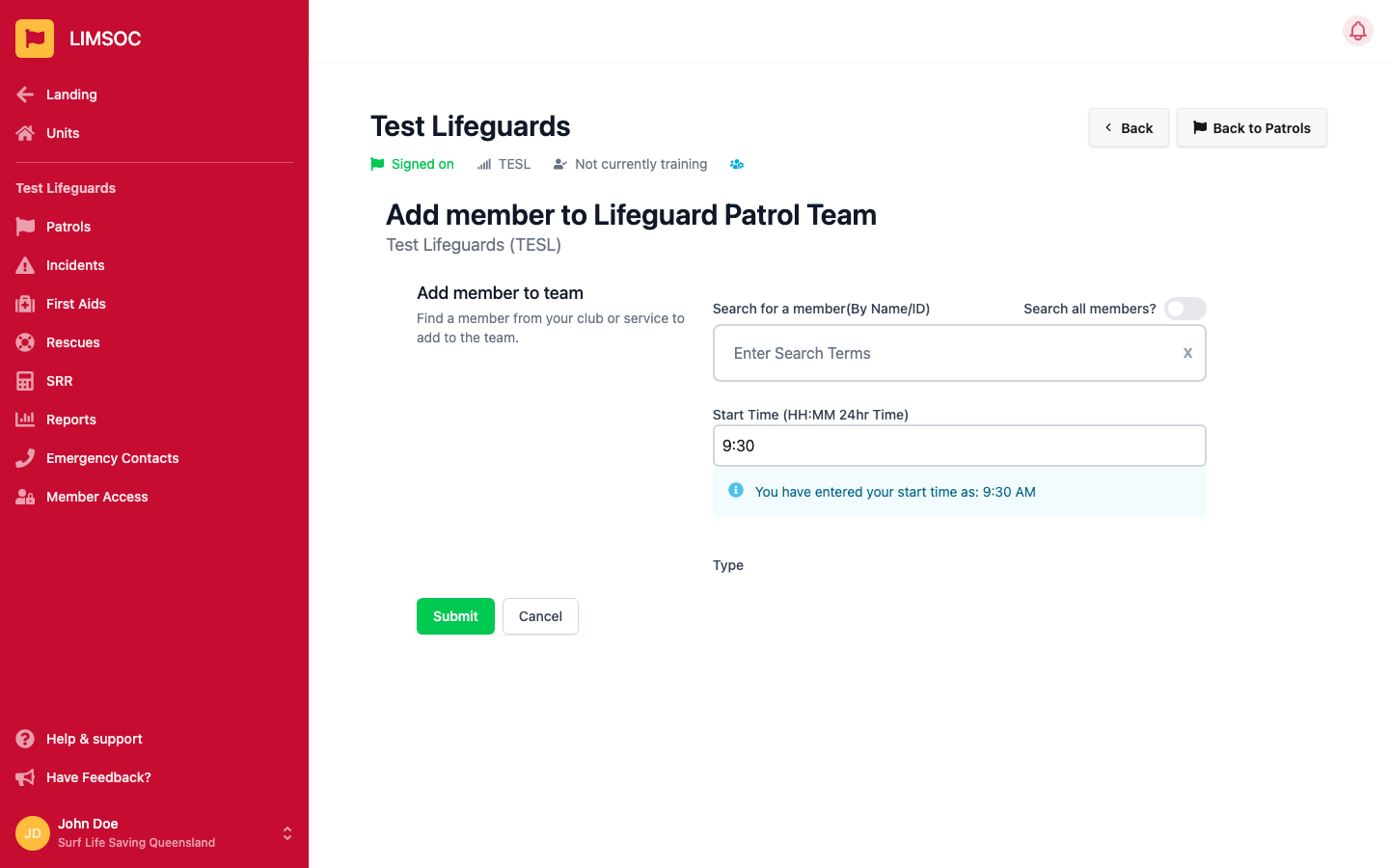
Click + Team Member, search your club or service (or turn on Search all members? to search more broadly), pick the person, set their Start Time, and choose a Type (e.g. Rostered, Voluntary, Water Safety, Substitute, IRB Driver, IRB Crew, Training). Click Submit to add them to the Signed On list.
Signing a member off
Use a member's options menu to Sign Off Now, or mark them No-Show or Excused if they didn't end up patrolling. Everyone still signed on is automatically signed off when you sign off the whole patrol.
Why it matters
Being added to a patrol log is what earns a member credit for their patrol hours in SurfGuard. If a rostered member was present but never added here, their hours won't be recorded.