
The Peer Support Report lists every peer support form completed in a period, with the full answers. Because it shows sensitive information, it's only available to users given peer support reporting rights.
Run the report
In Reporting, open the Reports menu and choose the peer support report.
Choose a period (see Choosing a Date Period), and optionally a Unit and Status.
Click Generate Report.
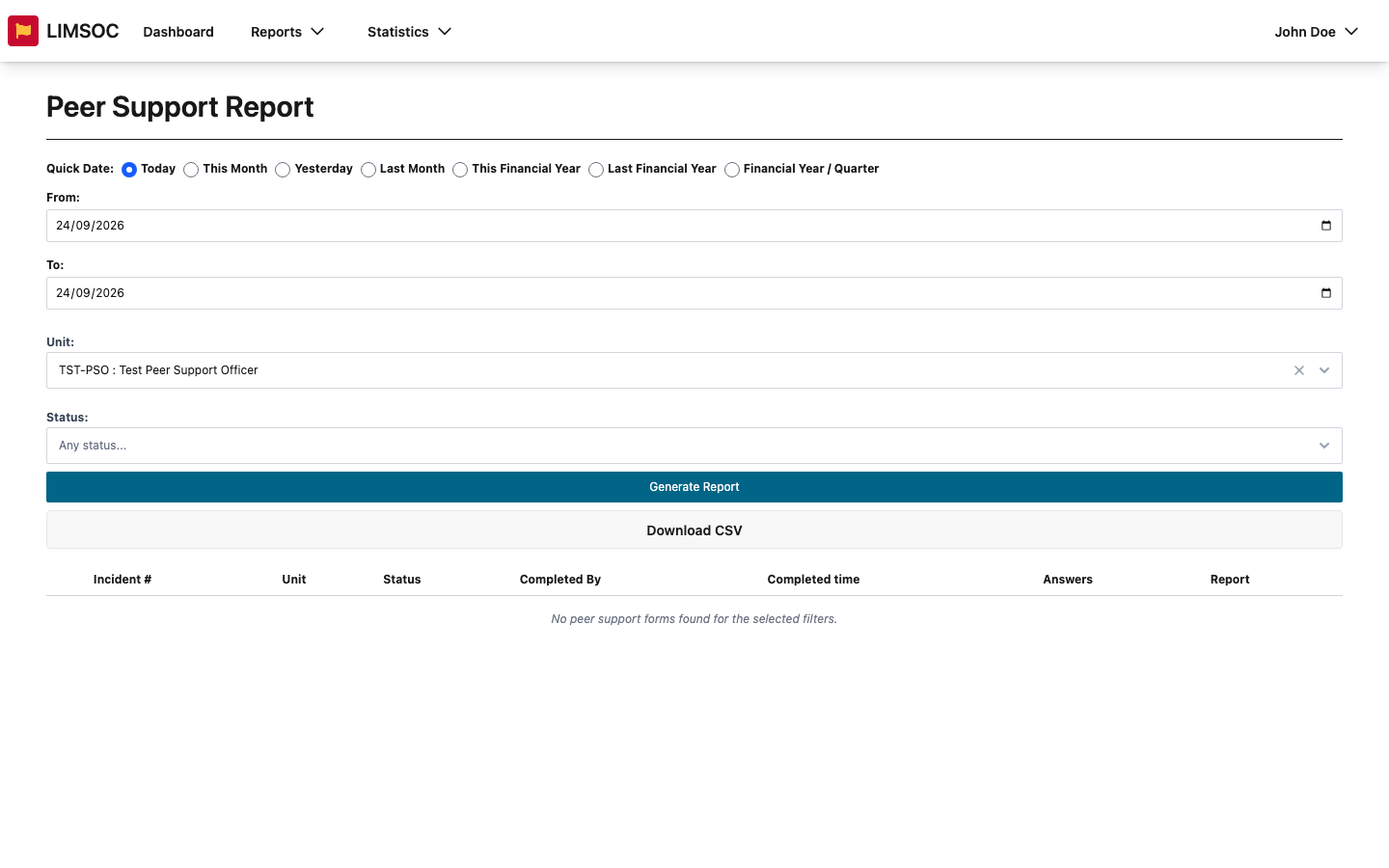
Each row shows the Incident #, the Unit that completed the form, its Status, who completed it and when. Expand a row to read the Answers. If nothing matches you'll see No peer support forms found for the selected filters.
Download
Use the row's Report button to download a PDF of a single form.
Download CSV exports all rows.
Both need peer support export rights, which are separate from being able to view the report.
Handle with care
Peer support forms contain confidential information about members' wellbeing. Only open or download them for their intended purpose, store any downloads securely, don't forward them, and delete them when you're done. The report only shows forms for units in organisations you have peer support reporting rights for. See Why You Might See Different Report Data.