
Follow the incident log
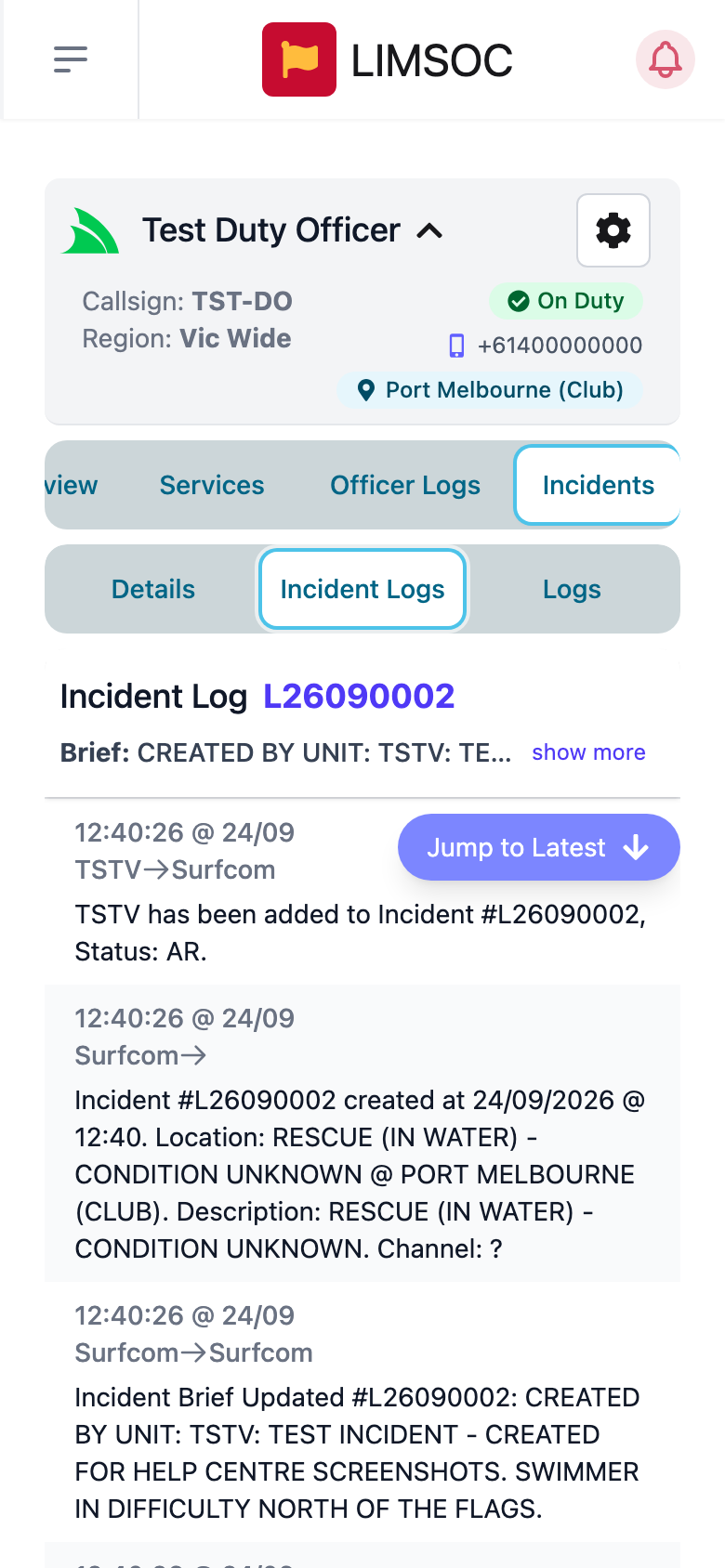
Open the incident and tap Incident Logs. You'll see the brief at the top (tap show more to read it all), then every entry in order: who it was from and to, the time, and the message. This includes Surfcom's notes, units being notified, and status changes.
New entries appear as they arrive. Tap Jump to Latest (or N New Logs) to scroll to the newest.
Message Surfcom
Type in the box at the bottom ("Add your message for…") and tap Send Message. Your message is logged from your callsign to Surfcom. Type @ followed by a callsign to tag another unit. Keep messages factual. They become part of the incident record.
Add paperwork to the incident
Tap the incident's Logs tab to see the Incident Report Logs, First Aid Logs and Rescue Logs recorded against it by any unit. Use + IRL, + First Aid or + Rescue to add your own. They'll be linked to the incident automatically.
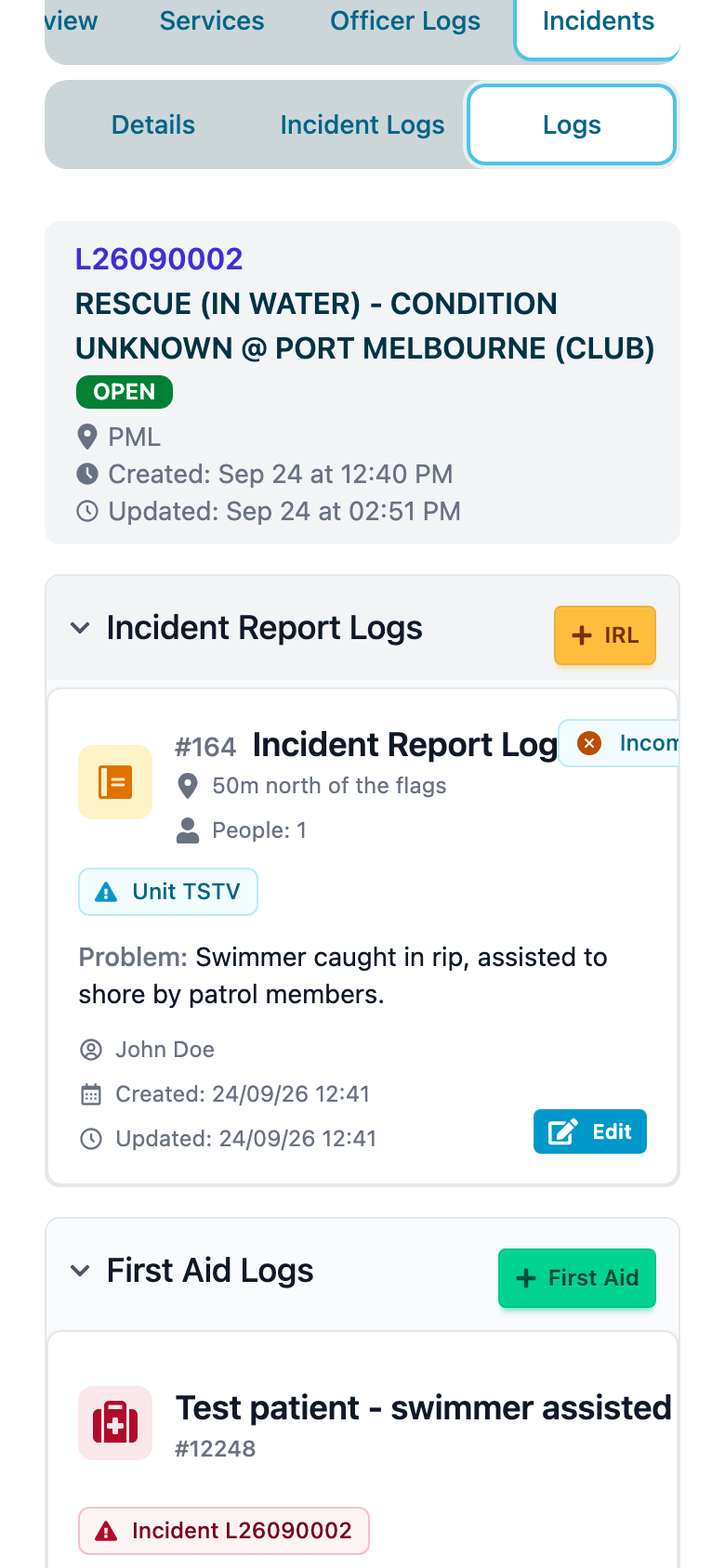
The forms are the same as in the Patrols interface. See Completing an Incident Report Log (IRL), Recording a First Aid in the Field and Recording a Rescue. Once an incident is closed, these buttons are disabled. Contact Surfcom if something still needs adding.