
From the Field view you can see incidents in your region, attach your unit to one, and keep Surfcom updated on your status as you respond.
How you'll hear about an incident
When Surfcom adds your unit to an incident, you'll get an SMS to the Notifications Number you signed on with. There's no pop-up alert inside the Field view, so keep that number current.
1. Find the incident
Open the Incidents tab on your unit screen. It lists incidents in your region opened or closed today, plus any still open and any your unit is attached to. Use Filter Status to show Open, Closed or both. Each row shows the incident type code, number, name, location, date and time.
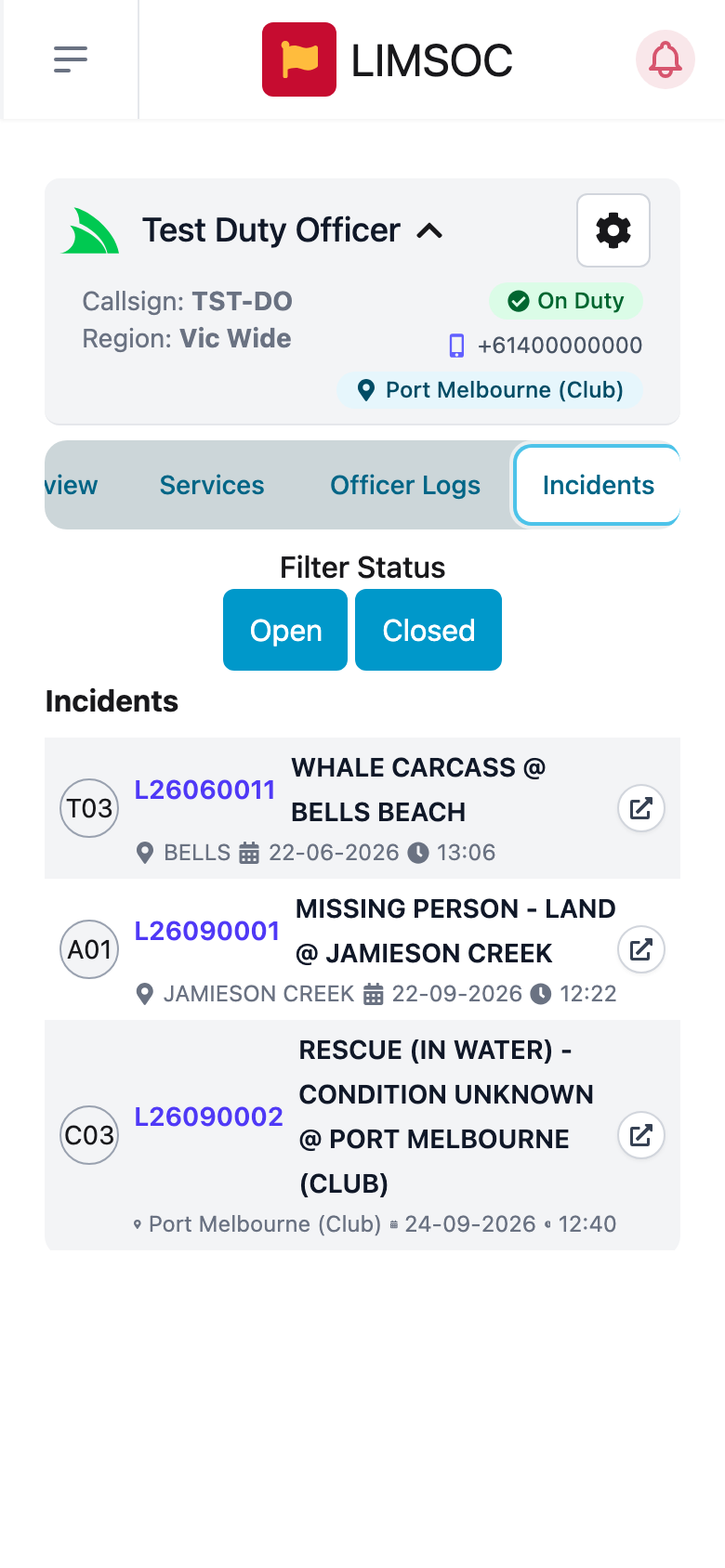
Some unit types only see incidents they're attached to.
2. Open it
Tap the incident number. The incident has three tabs:
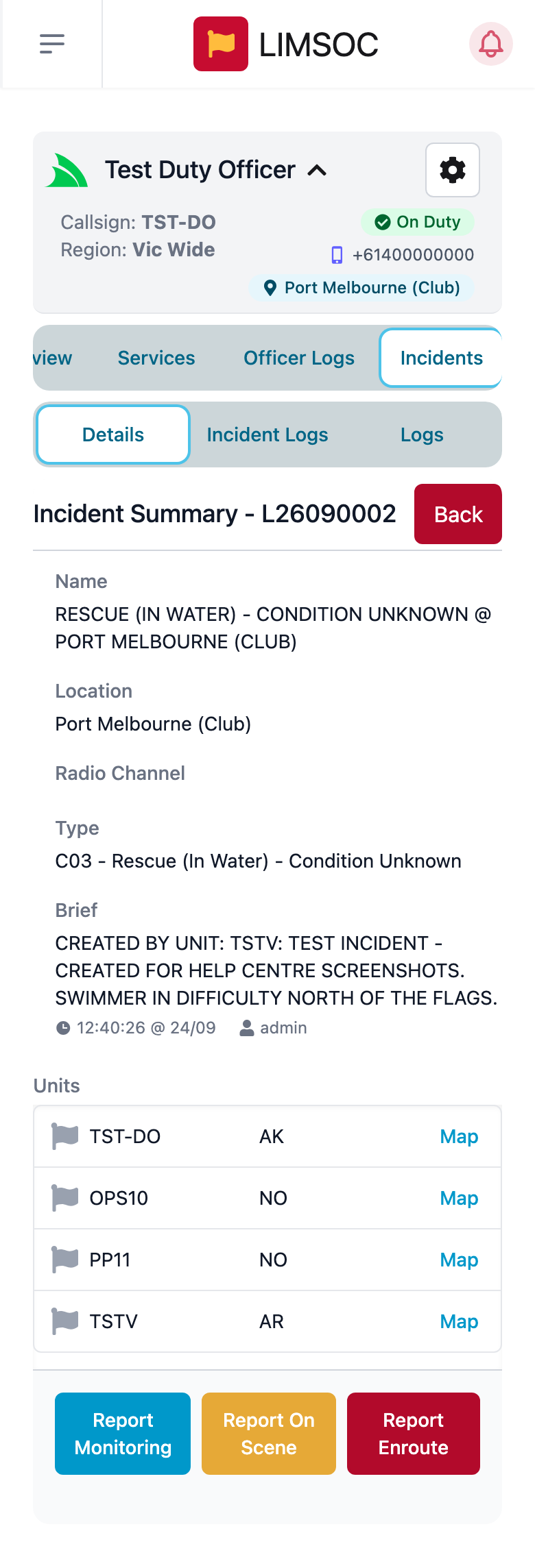
Details: the name, location, radio channel, incident type, the brief from Surfcom, and every unit attached with its status and a Map link.
Incident Logs: the incident's message log, where you can message Surfcom. See Incident Logs and Paperwork in the Field.
Logs: the IRLs, first aids and rescues recorded against the incident.
Tap Back to return to the incident list.
3. Report your status
At the bottom of the Details tab are buttons for your next status. Tapping one updates Surfcom straight away, and it attaches your unit to the incident if it wasn't already.
Report Acknowledged: you've received the job.
Report Monitoring: you're keeping an eye on it but not responding.
Report Enroute: you're on your way.
Report On Scene: you've arrived.
Report Returning (once on scene): you're leaving the scene.
Report Returned (once returning): you're back and available.
Only the buttons that make sense for your current status are shown. For example, after Report Acknowledged you'll see Monitoring, On Scene and Enroute. Your status also appears in the Units list as a short code: AK Acknowledged, MO Monitoring, ER Enroute, AR On Scene, RE Returning, NO Notified.
Good to know
Standing down and clearing a unit is done by Surfcom. When they do, the status buttons disappear.
Read-only (admin support) units can view incidents but can't report status or send messages.
You can't create a new incident from the Field view. Call Surfcom and they'll raise it.
Status buttons don't replace the radio. For anything urgent, call Surfcom too.