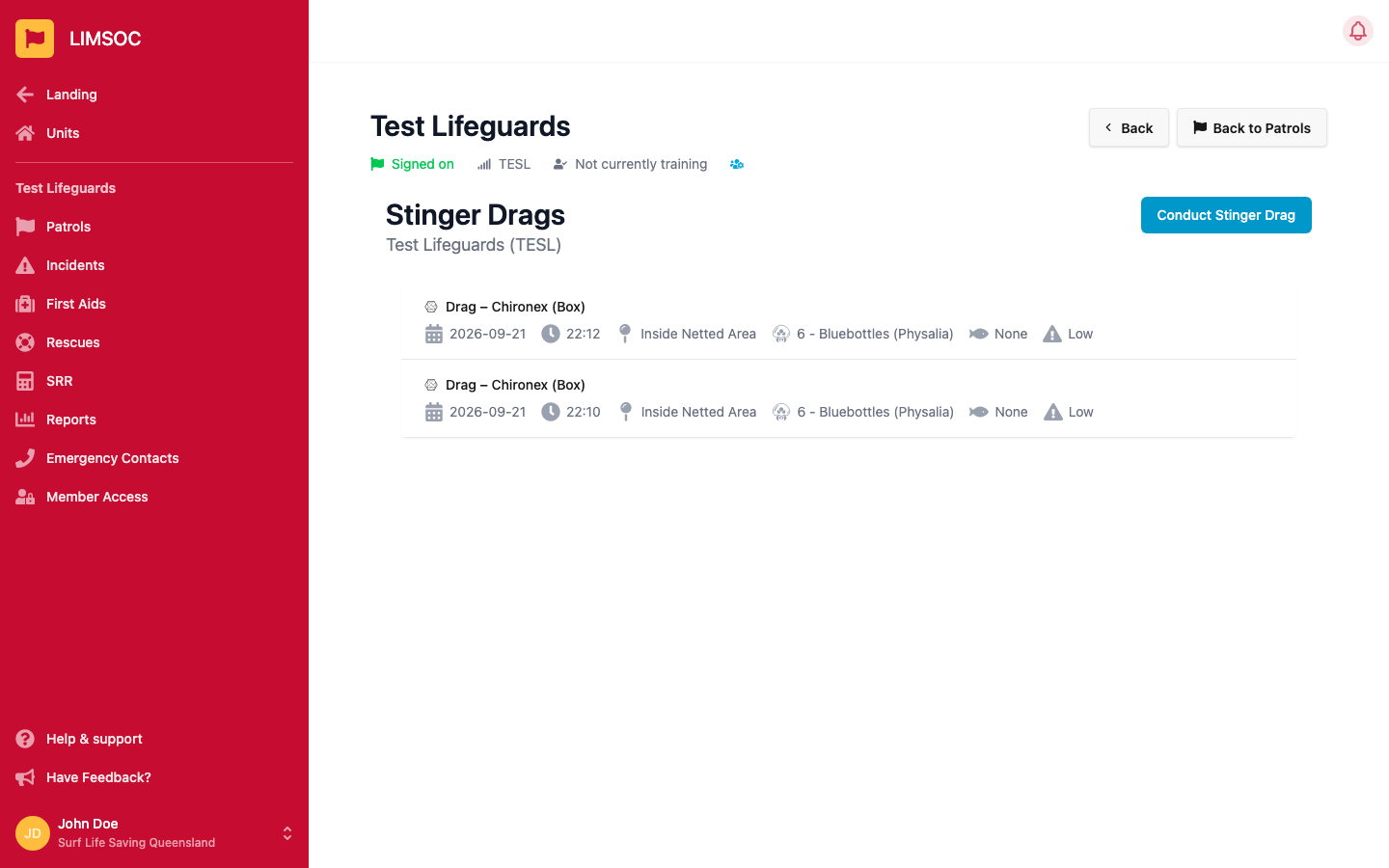
If your unit conducts marine stinger drags, use Conduct Stinger Drag to record what you find and get a calculated risk level. It's available from your signed-on patrol's activity screen for units this feature applies to.
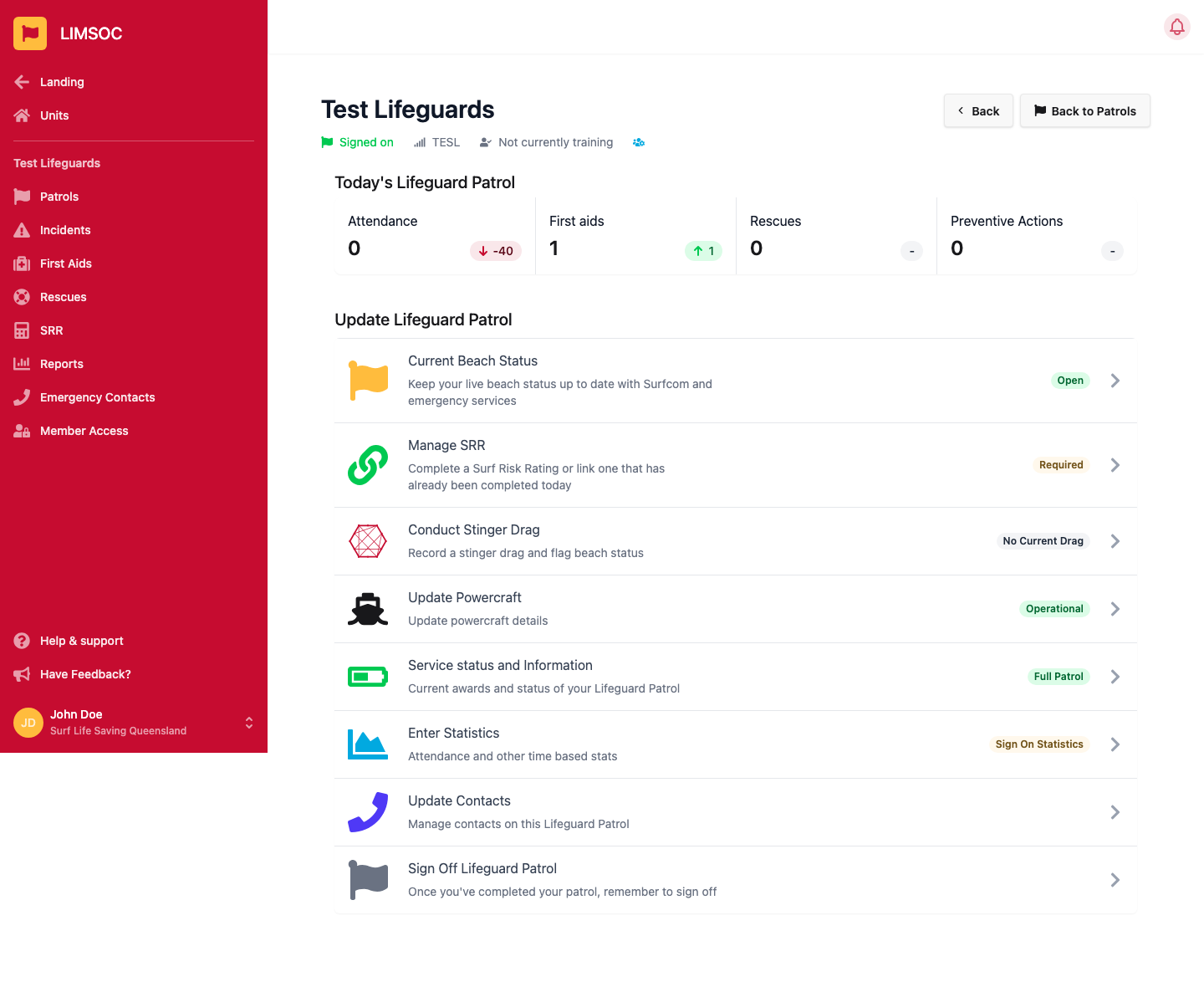
From your signed-on patrol, open Update Lifeguard Patrol and select Conduct Stinger Drag.
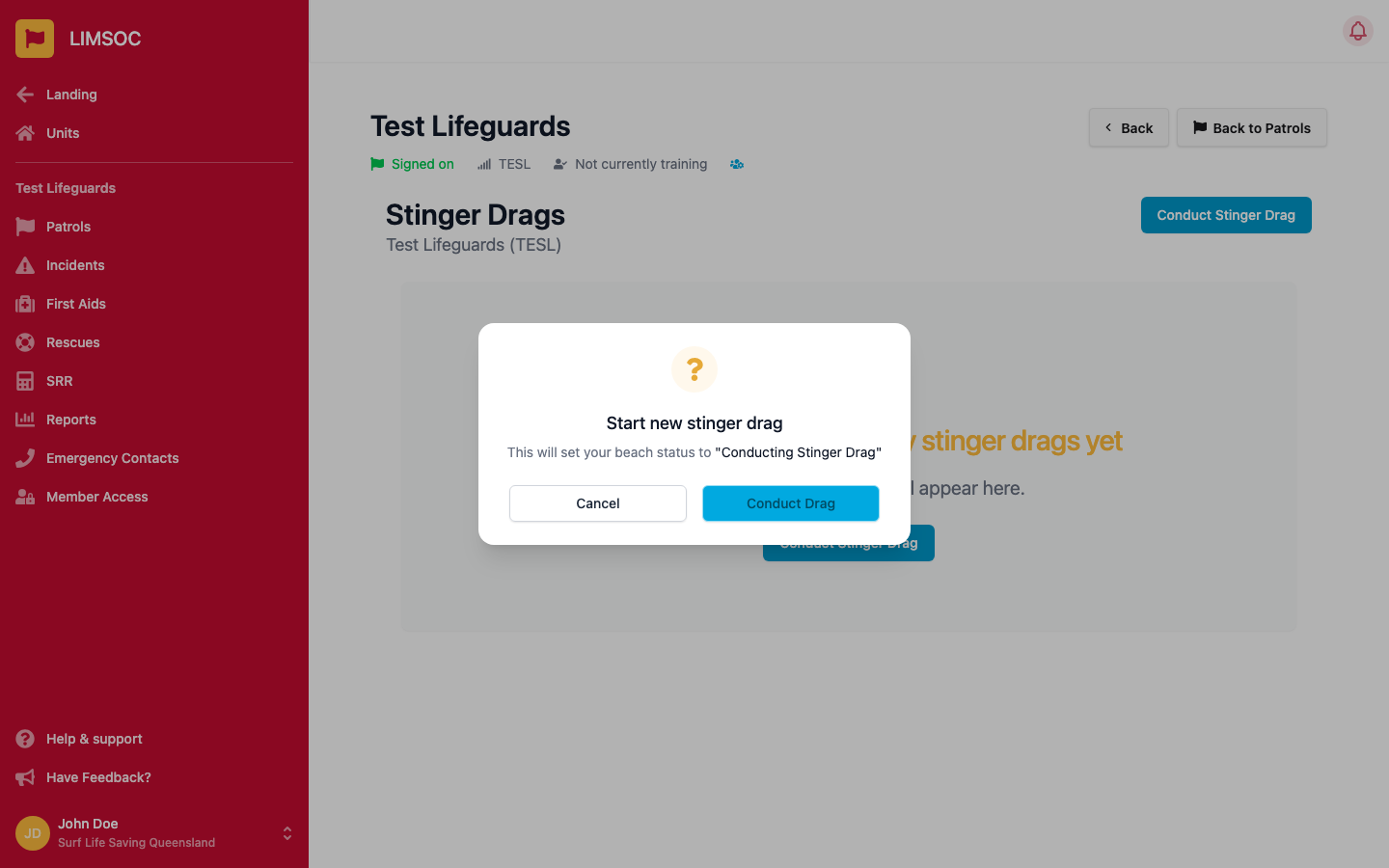
Confirm you want to start — this sets your beach status to “Conducting Stinger Drag” until you finish.
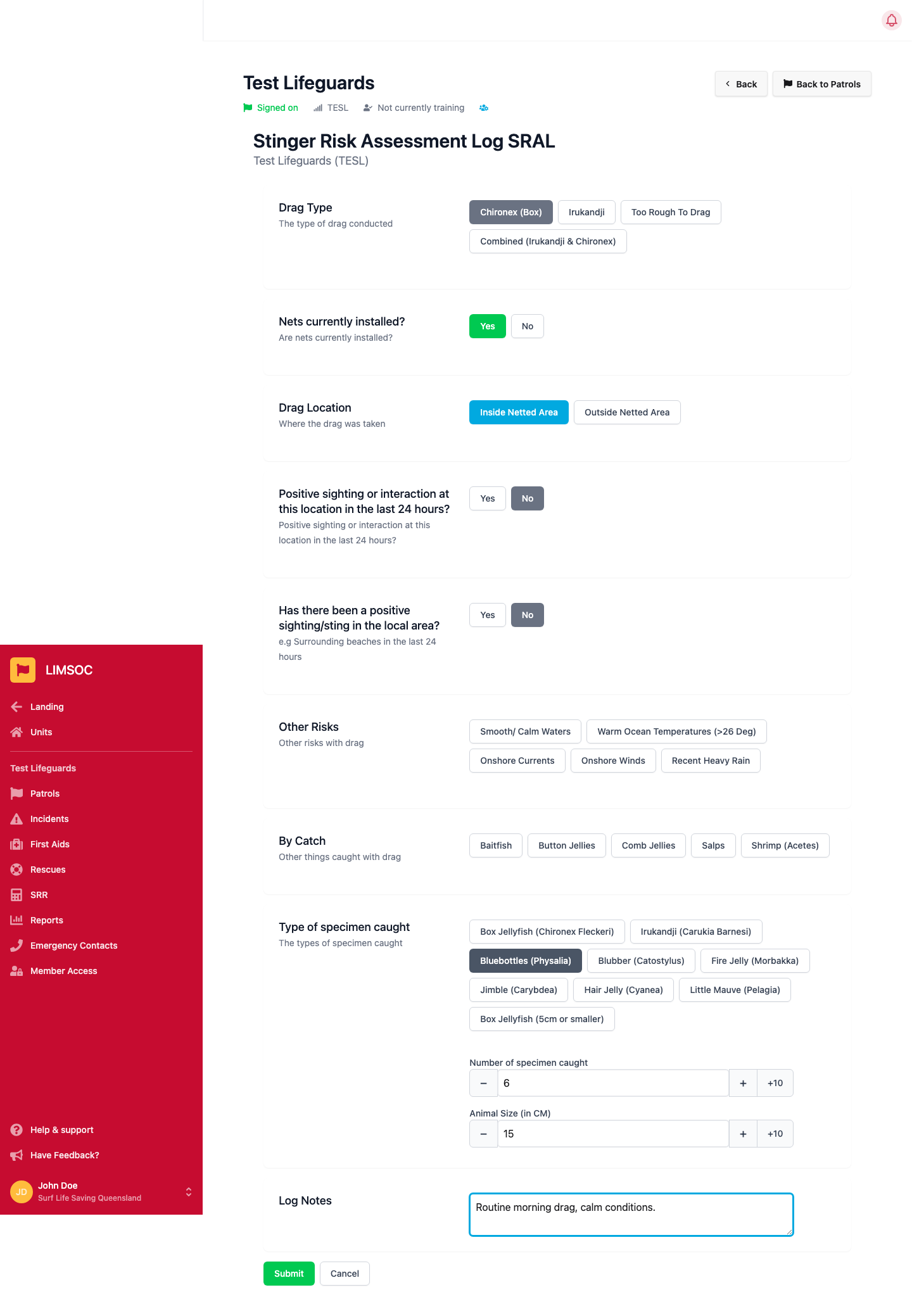
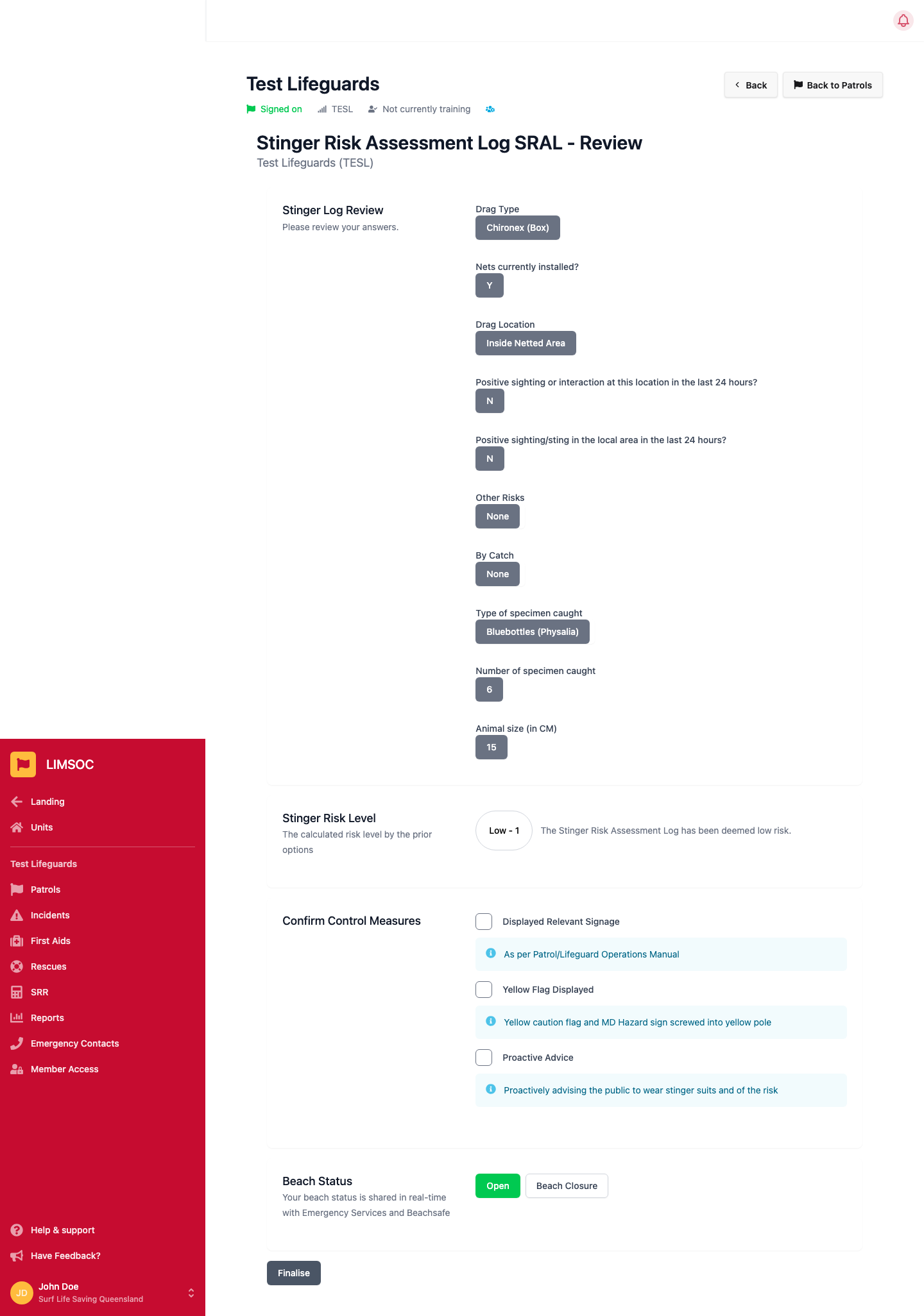
Drag Type — required
Nets currently installed? — required
Drag Location — required
Positive sighting or interaction at this location in the last 24 hours? — required. Answering No reveals a follow-up, also required: Has there been a positive sighting/sting in the local area? (e.g. surrounding beaches)
Other Risks — optional, select any that apply (e.g. calm waters, warm ocean temperature, onshore currents/winds, recent heavy rain)
By Catch — optional, anything else caught in the drag
Type of specimen caught — select any species found. Selecting one reveals Number of specimen caught and Animal Size (in CM) for each
Log Notes — optional
The exact drag type, location, by-catch and specimen options are configured per organisation, so what you see may differ slightly from the example below.
Click Submit.
LIMSOC calculates a Stinger Risk Level (Low, Medium, High or Critical) from your answers. During stinger season (November–May) the minimum level is automatically raised to at least Medium.
Confirm every listed control measure, then set your Beach Status — this is shared in real time with Emergency Services and Beachsafe — and click Finalise.
Your drag appears in the Stinger Drags history list for the day, showing the type, time, location, specimens, by-catch and risk level at a glance.