
The Club/Guard Summary Report (headed Unit Reporting) rolls up each unit's activity for a period into one line: ideal for season summaries, funding reports and board updates. It needs both unit reporting and patrol statistics reporting rights.
Run the report
Go to Reports → Club/Guard Summary Report.
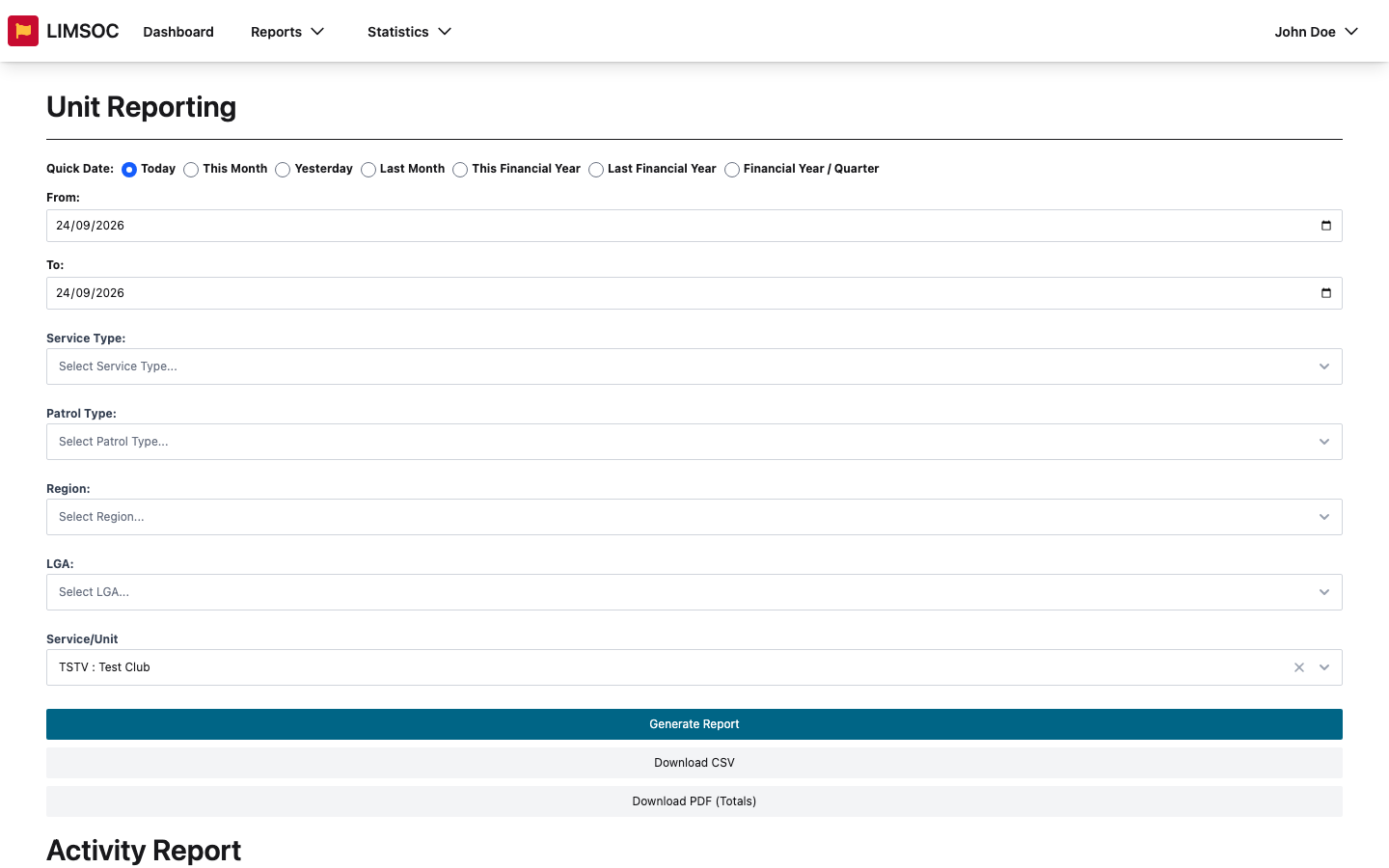
Choose a period (for a season, try This Financial Year or Last Financial Year) and filter by Service Type, Patrol Type, Region, LGA or Service/Unit.
Click Generate Report.
Reading the results
The Activity Report section lists each unit with its Preventative Actions, Minor First Aid, Major First Aid, Rescues and Attendance. If you filter to a Nippers patrol type, the columns switch to participant figures: In Water Participants, Total Participants, SRR (Avg) and Avg Awards. Below that, an Incidents section lists the incidents in the period.
Download
Download CSV saves two files: one for the activity table and one for the incidents. Allow multiple downloads if your browser asks.
Download PDF (Totals) creates a printable summary of the totals.
Each unit's PDF button in the Report column creates a summary for just that unit.
Downloads need unit export rights. Club admins can also run their own unit's summary from the Patrols interface. See Patrol Reports for Club Admins.