
The Patrol Stats Summary (headed Statistics Summary) lists the statistics patrols record at sign-on and sign-off: times, numbers on patrol, attendance, stings, minor first aids, preventative actions and beach counts.
Run the report
Go to Statistics → Patrol Stats Summary.
Choose a period and filter by Unit, Service Type, Patrol Type, Region or LGA as needed.
Tick Group by Unit to add the figures up per unit instead of listing every patrol.
Click Generate Report.
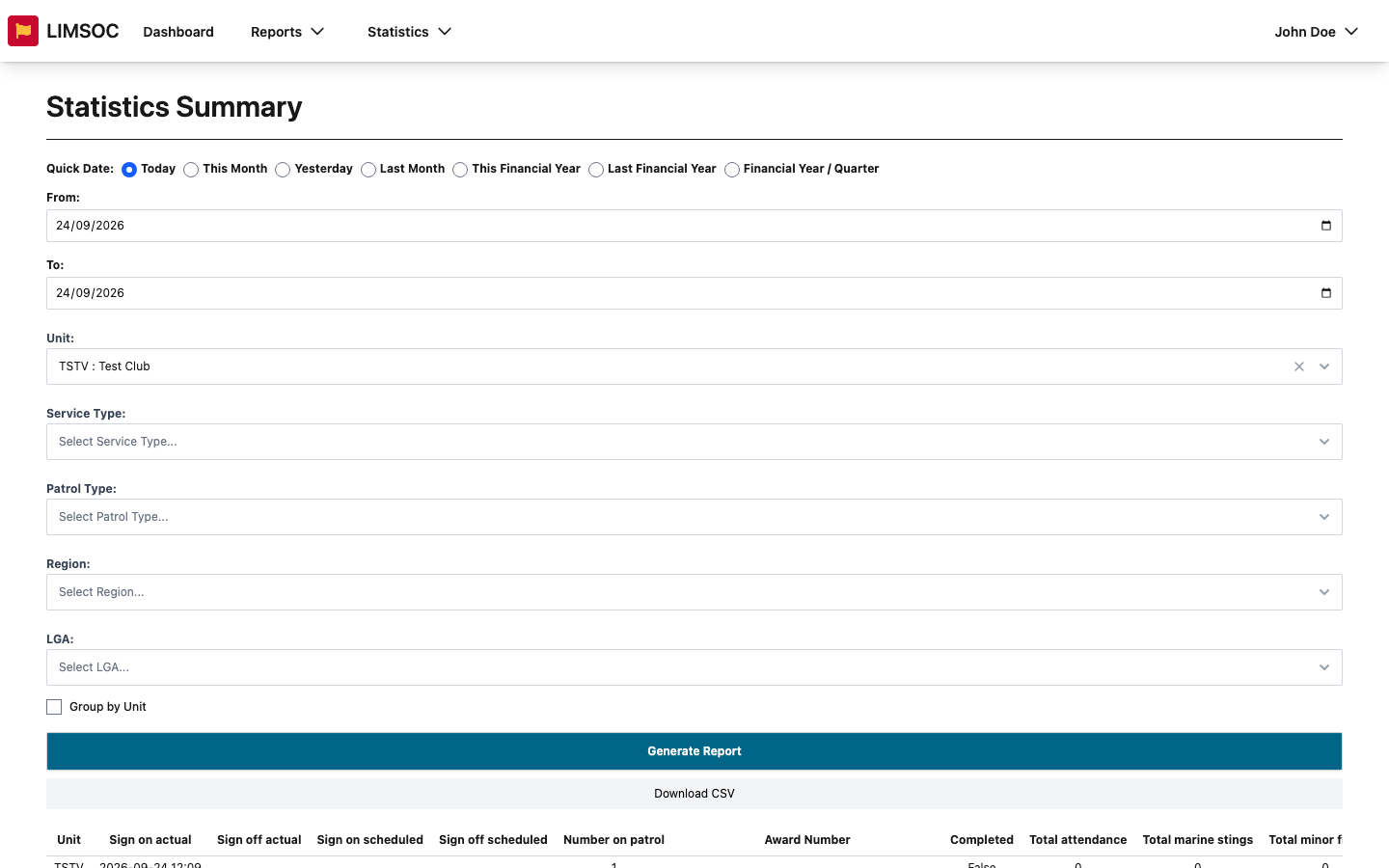
Each row shows the unit, actual and scheduled sign-on and sign-off times, number on patrol, award number, whether the patrol was completed, total attendance, total marine stings, total minor first aid, total preventative actions, laws and PR, swimmers (inside and outside the flags), craft, people on the beach, and the SRR range for the patrol.
Download
Click Download CSV (needs patrol statistics export rights). The CSV has more detail than the screen, including lagoon and pool attendance, sting types and advisories.
A patrol showing Completed: False is still signed on or wasn't signed off properly, so its figures may be incomplete.