
First Aid Report
Go to Reports → First Aid Report, choose a period, and filter by Unit, Service Type, LGA or Waiver Status (Yes, No or Not Required) if you need to. Tick Member Injuries Only to see only first aids where the patient was a member. Then click Generate Report.
Each row shows the unit, the linked incident, the date and time, whether it was a Major or Minor first aid, a description, and patient and injury details.
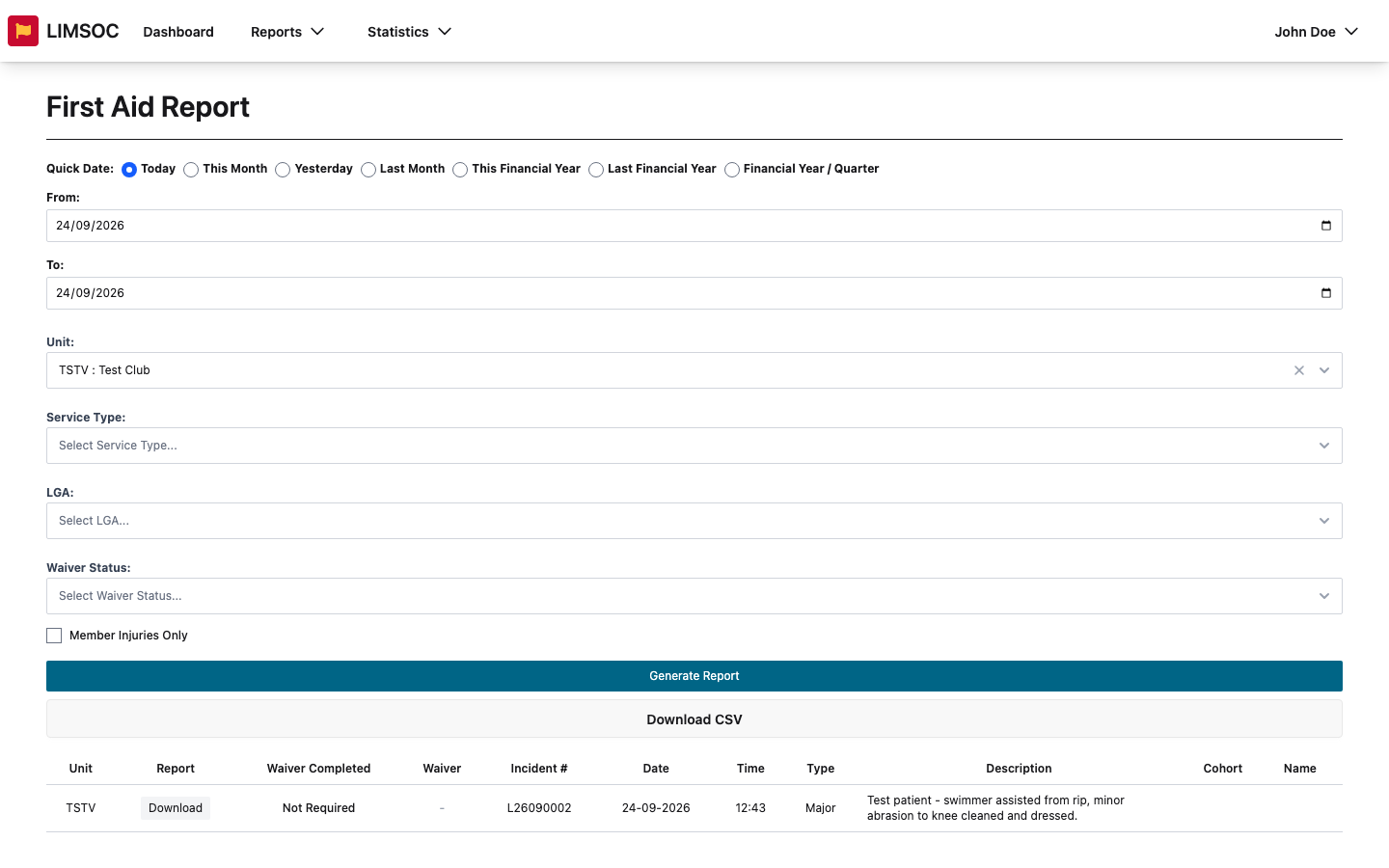
Click Download in the Report column for a PDF of that first aid log.
Where Waiver Completed is Yes, click Download in the Waiver column for the signed methoxyflurane waiver.
Download CSV exports every row as a spreadsheet.
First aid reports contain patient information. Only download what you need, and store and share it in line with your organisation's privacy requirements.
Incident Report Logs
Go to Reports → Incident Report Logs, choose a period (IRLs are matched on the date they were created), filter by Unit, Service Type or LGA, and click Generate Report.
Each row shows the unit, incident number, date and time, description, specific location and who completed it. Click Download for a PDF of the IRL, including its members table. The CSV also includes the members involved, the number of people and any reopen details.
Can't see the Download buttons? You need export rights for first aids or IRLs. Ask your administrator.