
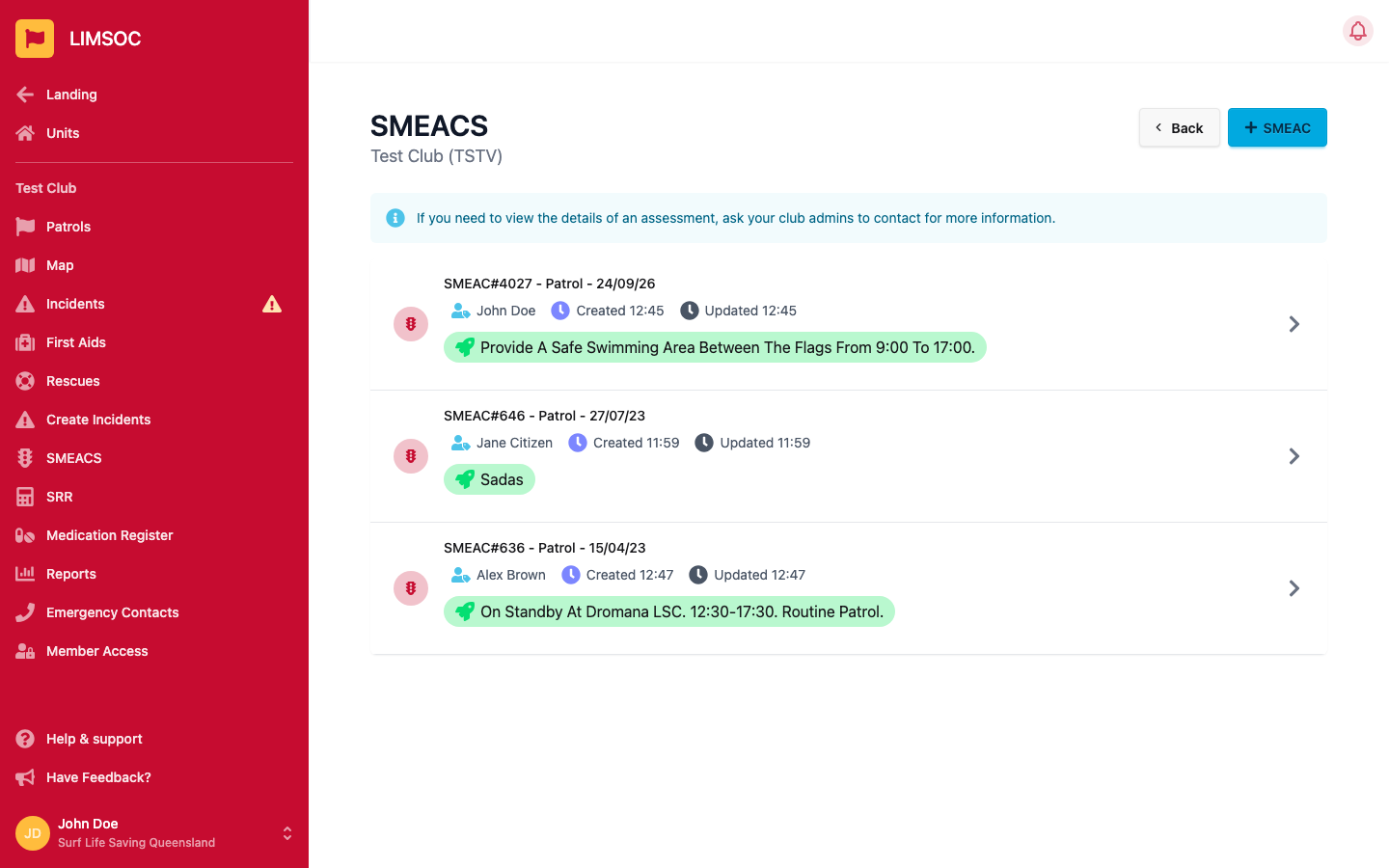
A SMEACS is a structured briefing you complete before an activity or operation. If your unit uses them, you'll see SMEACS in your unit's menu.
1. Open SMEACS
Select SMEACS. You'll see your unit's five most recent SMEACS. Click + SMEAC to start a new one.
2. Choose the activity
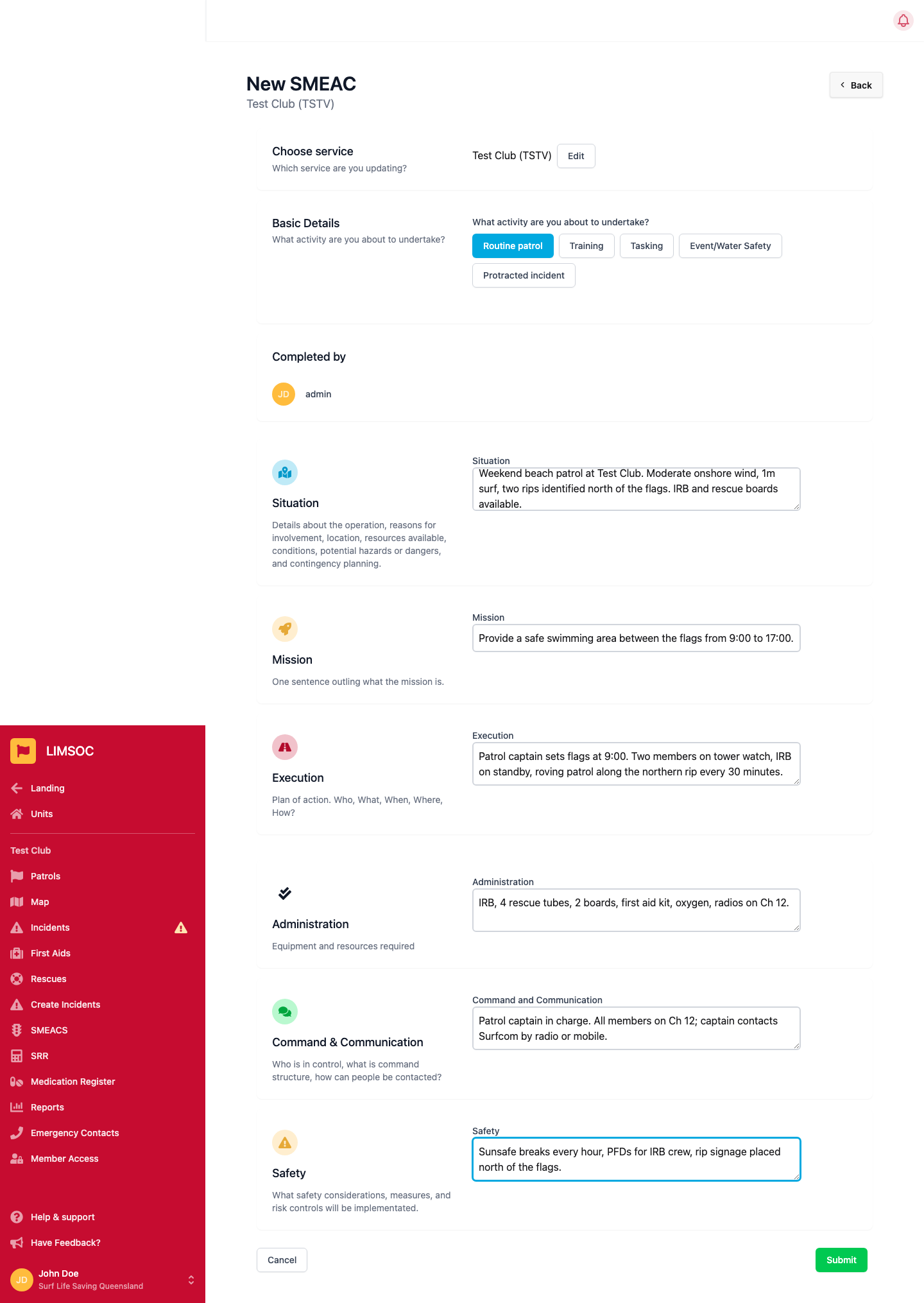
Under What activity are you about to undertake?, pick the activity. You're recorded automatically as the person who completed it.
3. Fill in each section
All six sections are required for a new SMEACS:
Situation: details about the operation, why you're involved, the location, resources available, conditions, hazards, and contingency plans.
Mission: one sentence outlining what the mission is.
Execution: the plan of action: who, what, when, where and how.
Administration: the equipment and resources required.
Command & Communication: who is in control, what the command structure is, and how people can be contacted.
Safety: the safety considerations, measures and risk controls you'll put in place.
Click Submit. You'll return to the SMEACS list.
Updating a SMEACS
If the plan changes, open the SMEACS from the list, add to whichever sections have changed, and submit again. Earlier entries are kept with timestamps under each section, so there's a record of how the plan evolved.
Only your five most recent SMEACS are shown. To see the details of an older one, ask your club admin to contact Surfcom.