
Record a movement whenever vials leave or enter the vault: taking a vial out for a patrol or treatment, returning an unused one, or adding new stock.
1. Start a movement
In Medication Register, make sure the right vault is selected, then click Add Record → Record Movement.
2. Choose the vials
Vials Out: vials you're taking out of the vault. Tick Expected to return if you plan to bring them back unused. They'll then show in the vault's Expected to Return panel under your name.
Vials In: vials you're putting into the vault, whether returned vials or new stock.
You can move vials in and out in the same record. At least one vial must be selected.
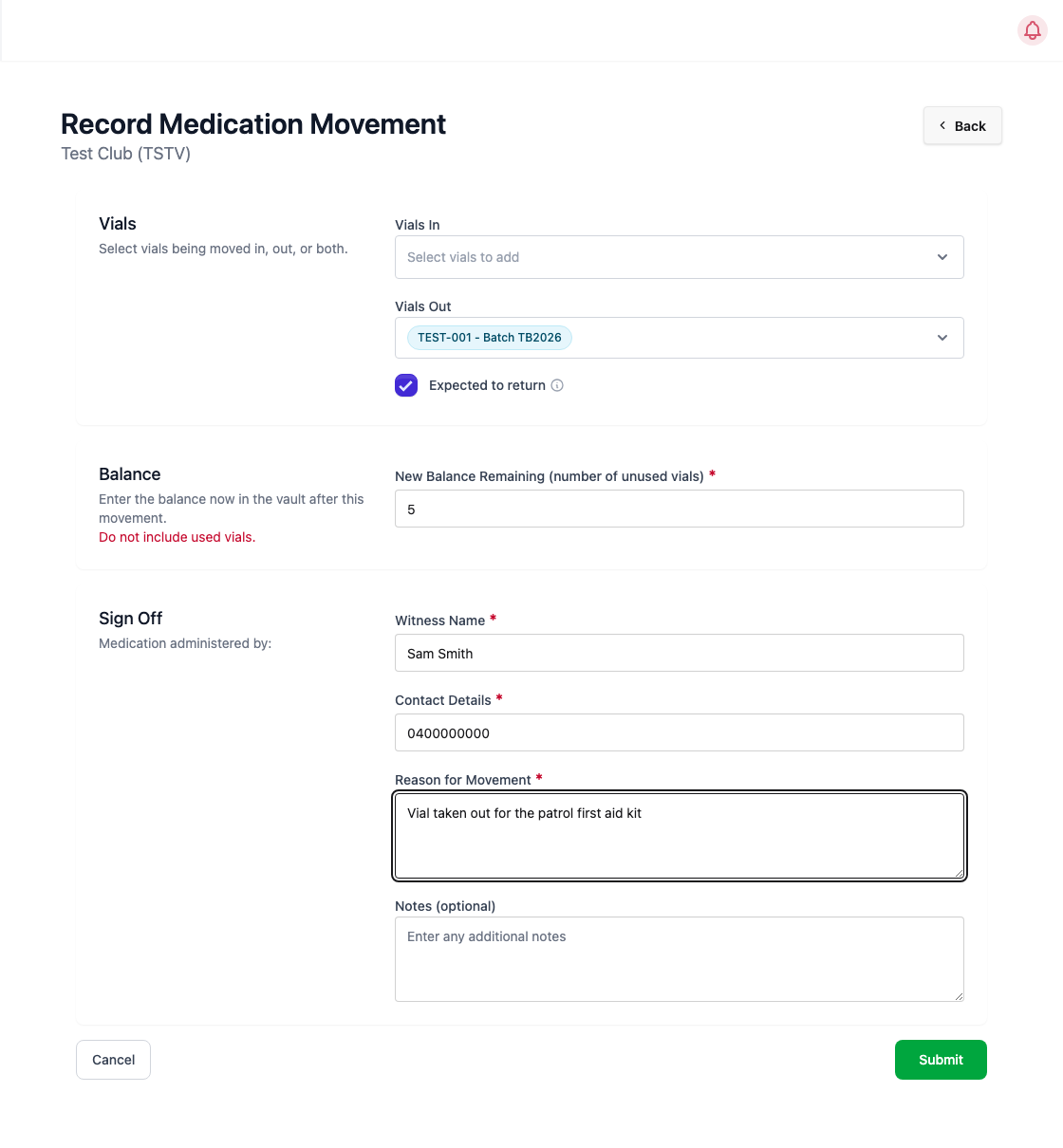
3. Enter the new balance
In New Balance Remaining, count and enter the number of unused vials left in the vault after this movement. Don't include used vials.
4. Sign off
Enter a Witness Name (someone other than you), their Contact Details, and the Reason for Movement. Add Notes if needed and click Submit. You're recorded automatically as the person carrying the vials.
If the balance doesn't add up
LIMSOC works out the expected balance from the vault's stock plus vials in, minus vials out. If your number is different, a Balance Mismatch window appears. Recount and click Cancel to fix it. If your count is definitely right, click Confirm Discrepancy. The movement is saved and an incident is raised to notify Surfcom.
After the movement
If you used a vial on a patient, select it on the patient's first aid form (methoxyflurane section, Vial Number) so it's marked as used. If you're bringing a vial back unused, record another movement with it under Vials In.