
A stock check confirms, with a witness, exactly which vials are physically in the vault. Do one whenever your club's procedures require it.
1. Start a stock check
In Medication Register, make sure the right vault is selected, then click Add Record → Stock Check.
2. Confirm the vials present
Open the vault and tick each vial you can physically see, matching the serial and batch number on the vial. The counter shows how many you've confirmed out of how many LIMSOC expects. If the vault has no vials registered, you can still submit to confirm it's empty.
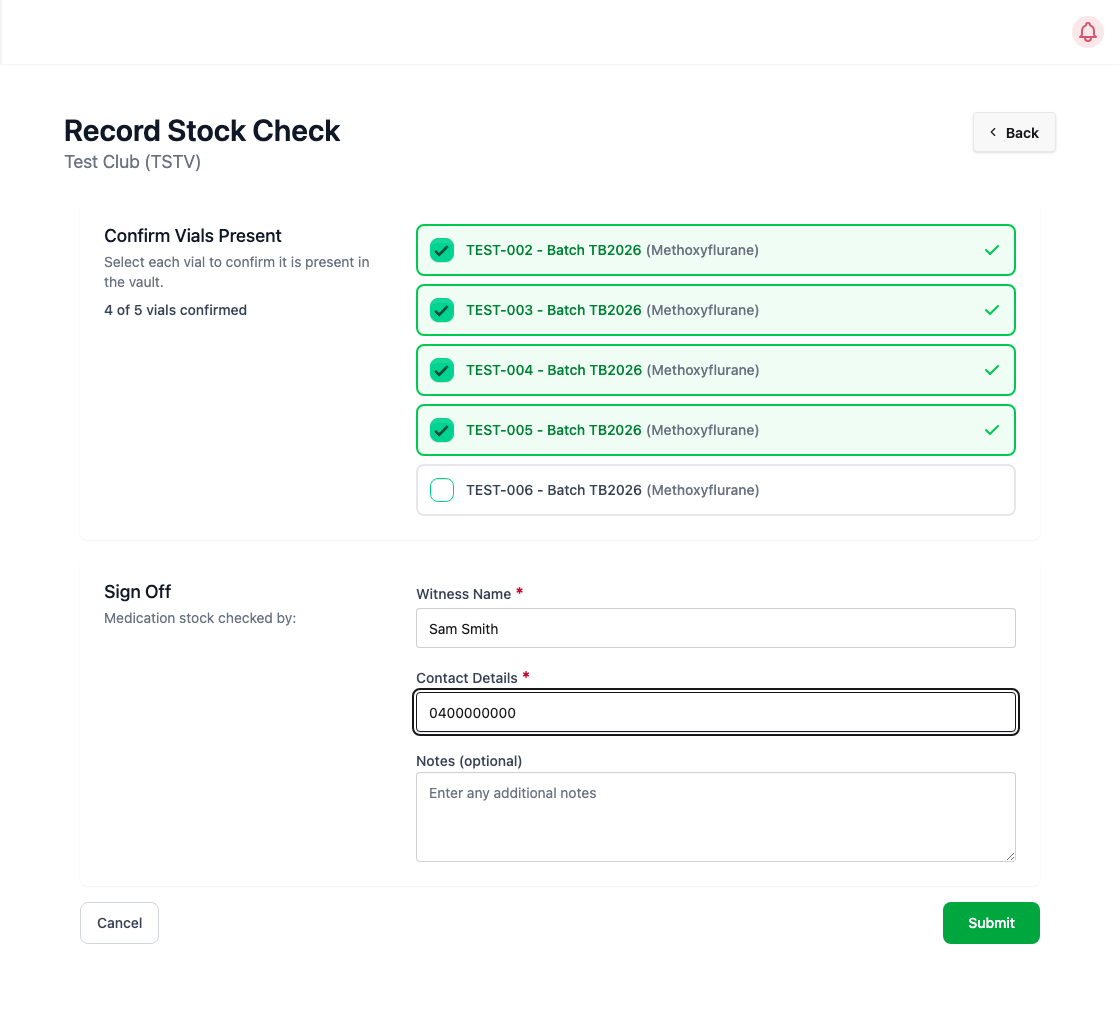
3. Sign off with a witness
Enter the Witness Name and their Contact Details (email or mobile). The witness must be someone other than you. Add any Notes if needed, then click Submit. You're recorded automatically as the person who completed the check.
If a vial is missing
If you haven't ticked every vial, a Balance Mismatch window shows the expected and entered balance. Double-check the vault first, and click Cancel to go back if you missed one.
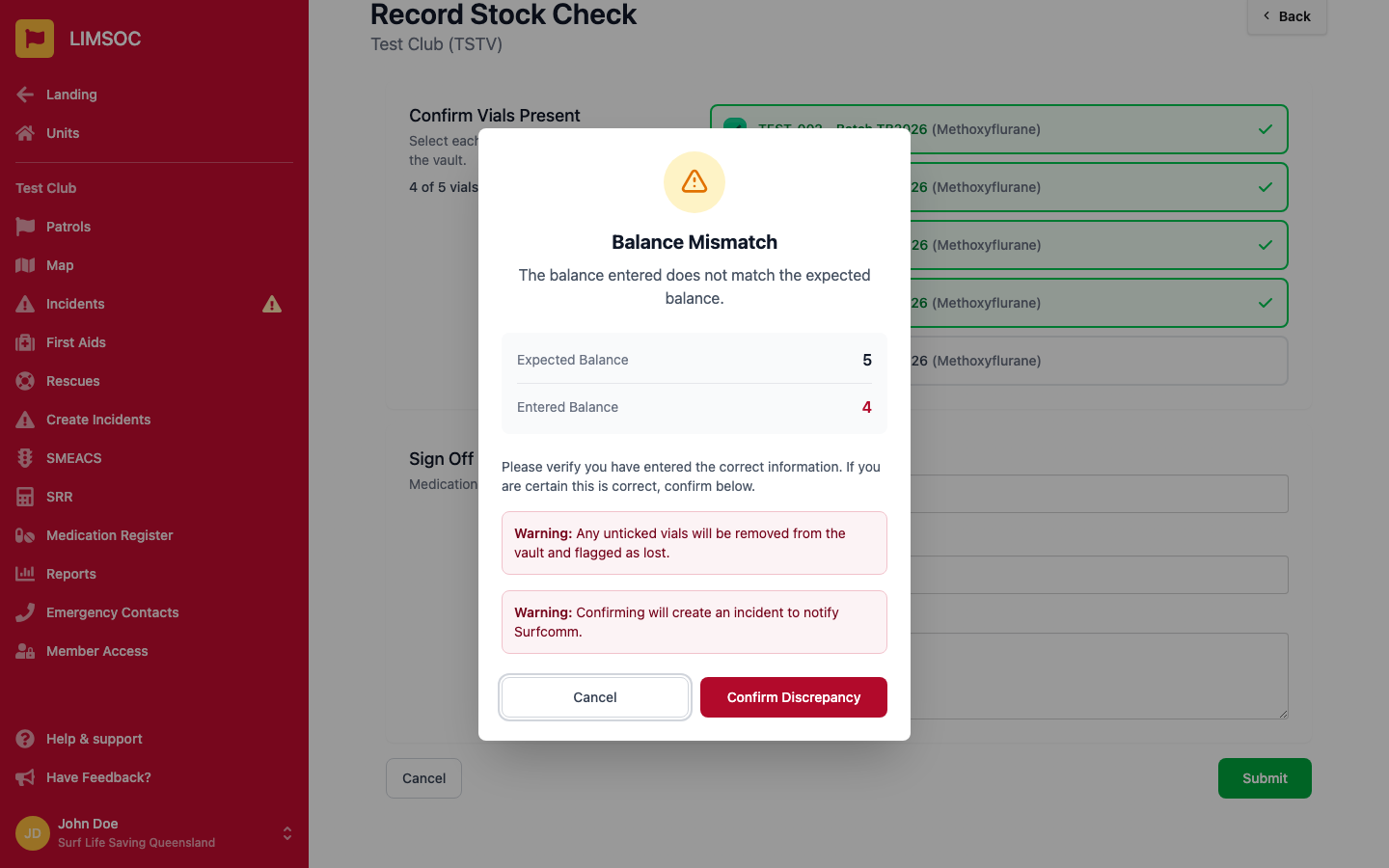
If a vial really is missing, click Confirm Discrepancy. This:
removes every unticked vial from the vault and flags it as lost, and
creates an incident to notify Surfcom, listing the missing serial numbers.
Only confirm once you're sure. A vial flagged as lost can't be restored from LIMSOC.