
The Medication Register tracks the pain-relief medication (such as methoxyflurane) held in your club's secure vault: which vials are in it, who has taken vials out, and every stock check and movement.
Who can see it
Medication Register only appears in your unit's menu if your club has been set up to use it and your role includes pain-medication access. If you administer pain relief and can't see it, ask your club administrator to check your access.
1. Open the register and pick your vault
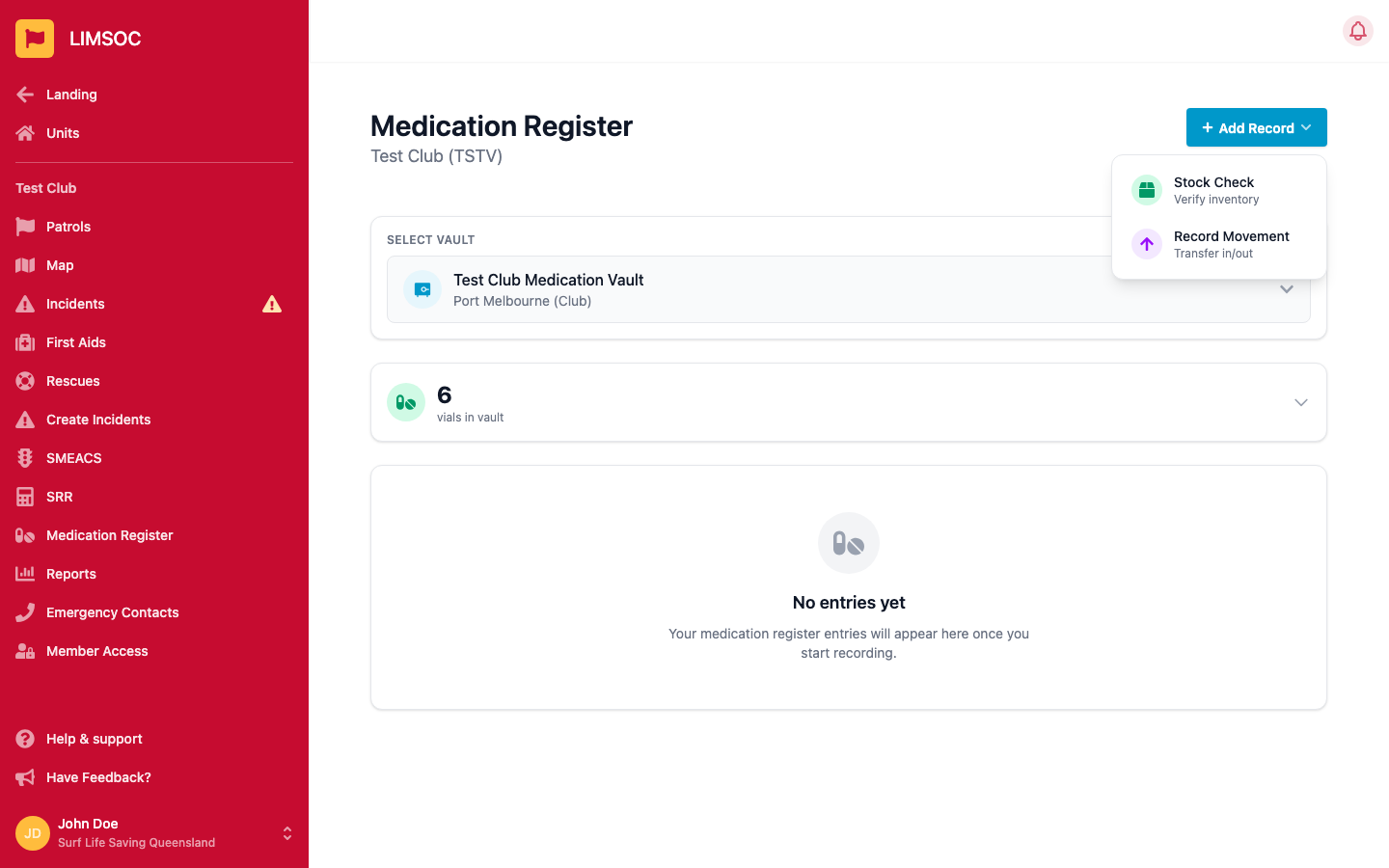
Select Medication Register. It opens on your unit's vault. If you have access to more than one, use Select Vault to switch between them. If you see No vault assigned, no vault has been set up for your unit yet. Follow the contact details in the message.
2. Check current stock
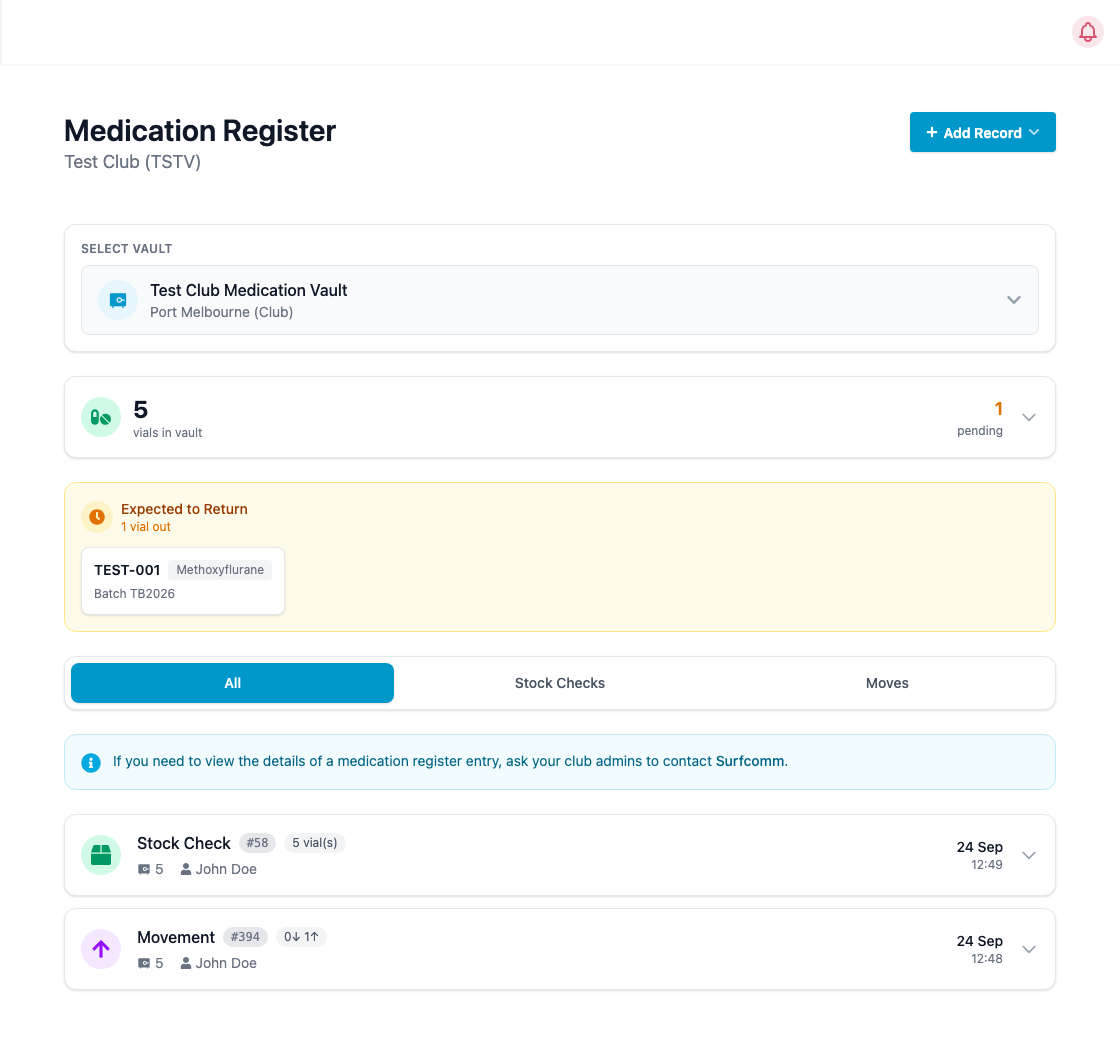
The Current stock card shows how many vials are in the vault. Expand it to see each vial's serial, type, batch and expiry date.
If any vials have been taken out and are due back, the amber Expected to Return panel lists each one with who is carrying it.
3. Review the history
Below the stock you'll find every entry for the vault. Use the All, Stock Checks and Moves tabs to filter. Each row shows the balance after the entry, who completed it and when. Expand a row for the vials involved, witness, reason and notes.
4. Add a record
Click Add Record in the top-right and choose:
Stock Check: confirm which vials are physically in the vault. See Recording a Medication Stock Check.
Record Movement: take vials out of or put them into the vault. See Recording a Medication Movement.
Giving medication to a patient
You don't record the dose itself in the register. Record it on the patient's first aid form: in the methoxyflurane section, pick the vial you used from the Vial Number list. Only vials that have been moved out of the vault appear there, so the usual sequence is:
Record a movement taking the vial out of the vault.
Administer the medication.
Select the vial on the first aid form. It's then marked as used.
Correcting an entry
Register entries can't be edited or deleted from LIMSOC. If something was recorded incorrectly, or you need the full details of an old entry, ask your club admin to contact Surfcom.