
LIMSOC has two sign-in paths on the same login screen, depending on who you are.
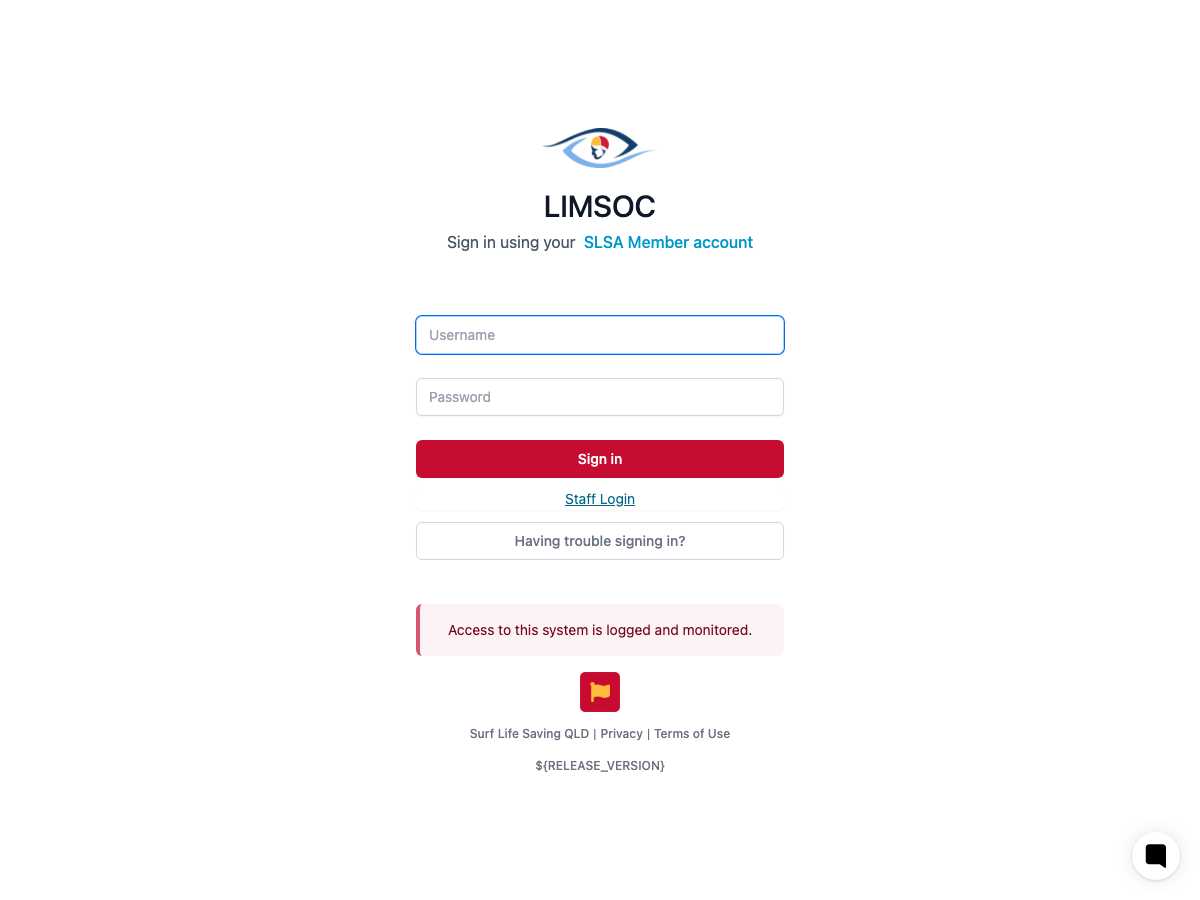
Most users: sign in with your SLSA Member (Hub) account
If you're a lifeguard, patrol member, or club volunteer, enter your Username and Password and select Sign in. These are the same credentials you use for your SLSA Member (Hub) account — LIMSOC checks them against the national membership system directly, so there's no separate LIMSOC password to remember or set up.
Your name, email and mobile number are refreshed from your membership record each time you sign in.
Staff: Staff Login
Internal/head-office staff sign in instead with Staff Login, which uses your organisation's Microsoft 365 account rather than an SLSA Member account. This option is restricted to approved staff email domains — it isn't available to general club members.
If sign-in fails
“Your username or password is incorrect” — double-check your SLSA Member account credentials. If you've forgotten them, use Having trouble signing in? to reset your password on the SLS Hub.
A password reset message — your SLSA Member account requires a password reset before you can continue; follow the link provided to reset it on the SLS Hub.
Repeated failed attempts — too many incorrect attempts will temporarily lock sign-in for that account as a security measure. Wait and try again, or contact support if you need it unlocked sooner.
Signing in successfully is only the first step — you also need LIMSOC access granted for your club or unit before you can see any patrol data. See Getting Your Access Granted.