
Patrol statistics feed national reporting on beach attendance, conditions and the preventative work your patrol does. You'll be asked for them twice — once at Sign On and again at Sign Off — and both sets are required before you can sign off.
Enter statistics
From your patrol's activity screen, select Enter Statistics.
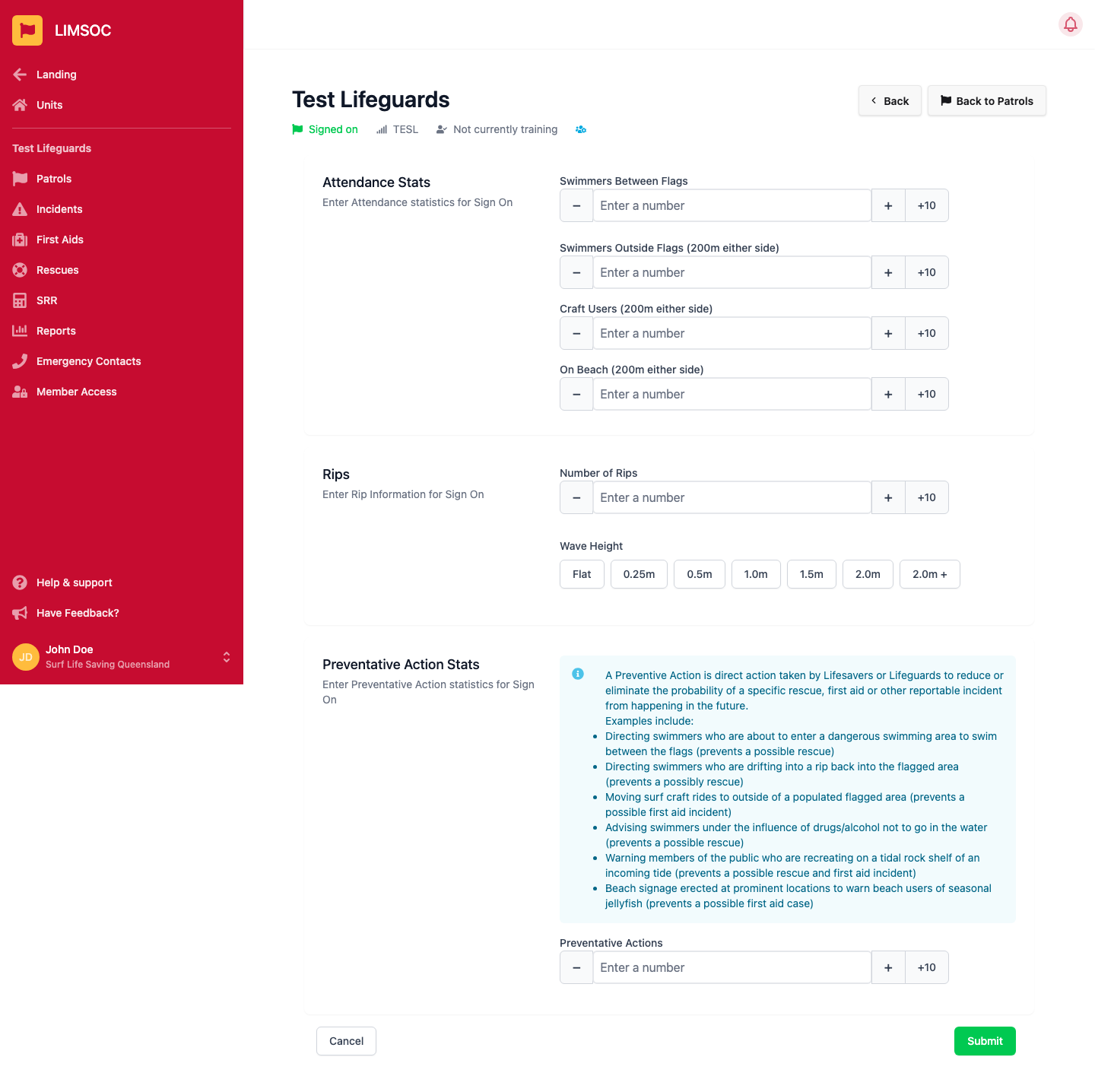
Attendance Stats — counts of swimmers between the flags, swimmers outside the flags, craft users and people on the beach (each within 200m either side, where noted).
Rips — the number of rips observed, and the current wave height band.
Preventative Action Stats — the number of preventative actions taken. A preventative action is direct action taken to reduce or eliminate the probability of a rescue, first aid or other reportable incident — e.g. directing swimmers back between the flags, moving craft outside a flagged area, or warning people on a tidal rock shelf of an incoming tide.
Click Submit to save. You'll complete this again at Sign Off to capture the same statistics for the whole patrol.
Why it blocks Sign Off
LIMSOC checks that both Sign On and Sign Off statistics have been recorded before it will let you finish signing off. If Sign Off is refusing to complete, go back and check Enter Statistics was submitted earlier in the patrol.